iPhone or iPad
Download from the App Store
- Tap the button below.
- On the App Store page, tap Get.
- Confirm with Face ID, Touch ID, or your Apple password.
- When installation finishes, tap Open.

No technical experience needed. Follow these steps to install Cartograph on iPhone, iPad, or Android, unlock PRO, and prepare the app for your offline Greenland maps.
Before you start
Step 1
Choose the type of device you are holding. The app is free to install; the PRO upgrade happens inside the app later.
iPhone or iPad
Android phone or tablet
Steps 2-5
PRO is needed for the Outdoormap Greenland map package and its offline features. The screenshots are from an iPhone; Android uses the same names and almost the same layout.
Open Cartograph
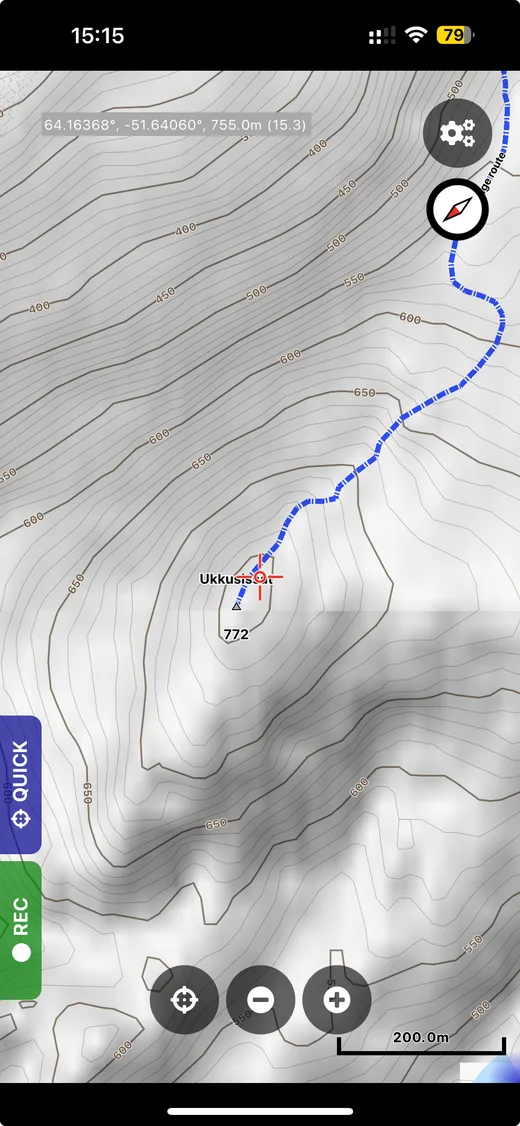
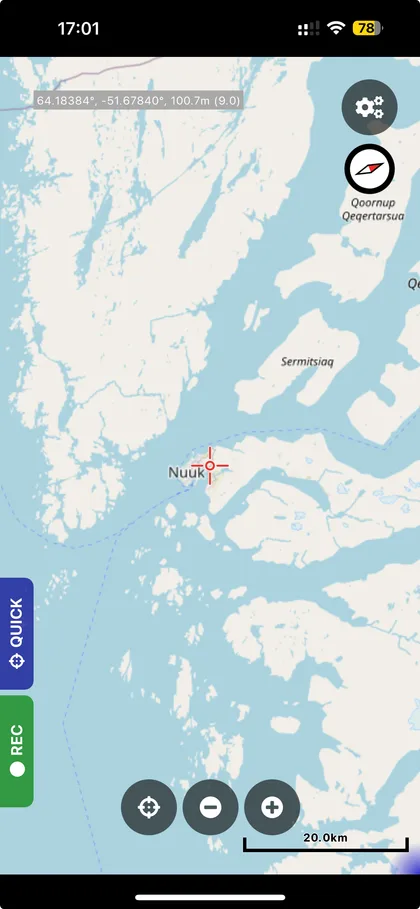
The first time Cartograph opens, it may ask for location access. Choose Allow While Using App so the map can show your position. You may adjust the other suggested settings or leave them at their defaults.
Seeing an ordinary online map is correct. Your offline Greenland map will be added later.
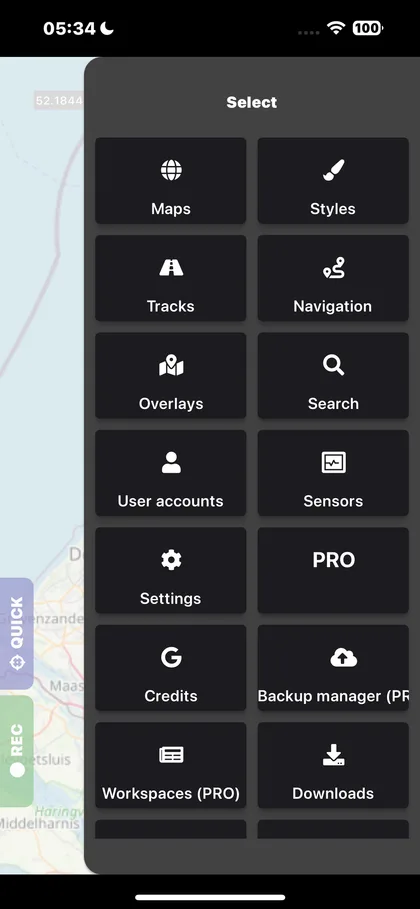
Open the purchase screen
Choose how to pay
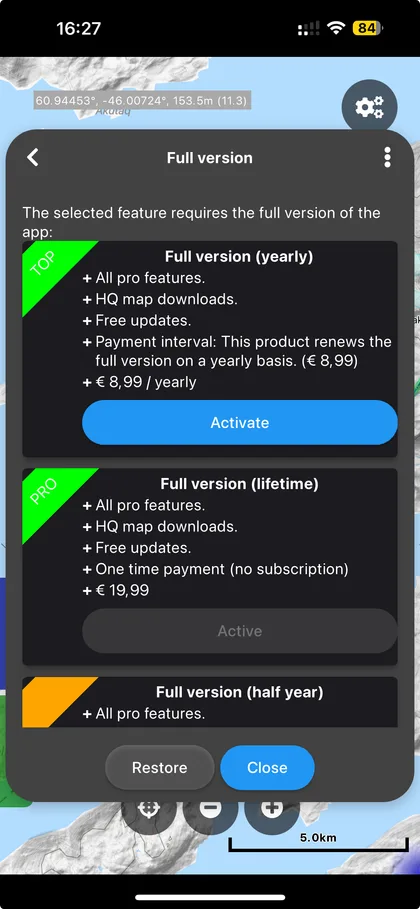
Cartograph normally offers four ways to activate all PRO features:
For a short trial, the monthly option is the smallest commitment. Tap Activate beside your choice and confirm the purchase through Apple or Google.
Prices vary by country and store. Use the price shown on your own phone. Subscriptions renew automatically until you cancel them in your Apple or Google account.
Check the result
Return to the PRO screen after payment. Your chosen product should show as active, and the PRO reminder in the app may disappear.
One last preparation
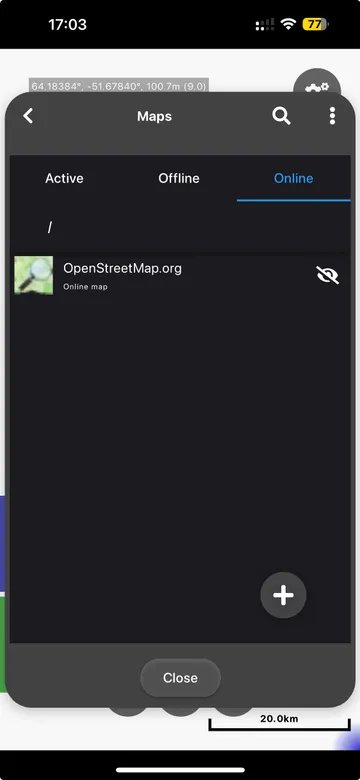
This leaves an empty map screen ready for Outdoormap Greenland. A blank screen at the end of these steps is expected.
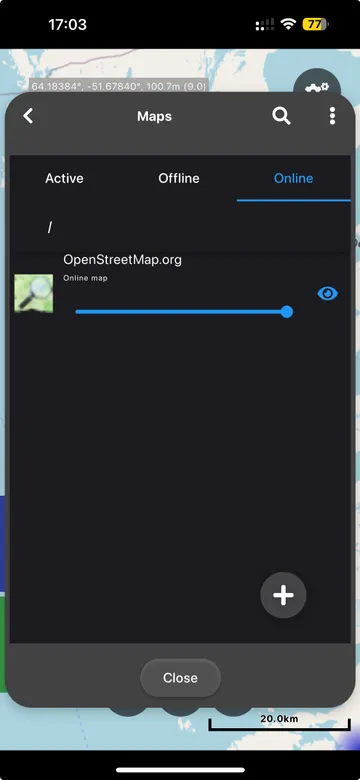
Open the main menu and tap Maps.
At the top of the Maps screen, tap Online.
Tap the blue eye beside OpenStreetMap.org. The eye becomes white and crossed out.
Tap Close. The map screen is now ready.
Need more help?
Cartograph may change small parts of the interface over time. These official pages contain the latest app and purchase information.